
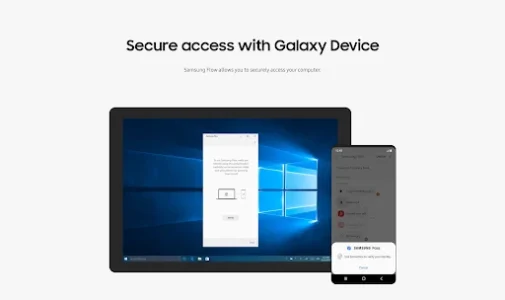
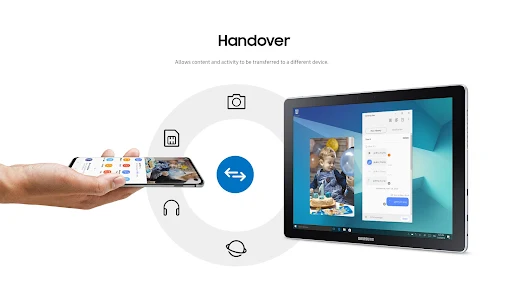
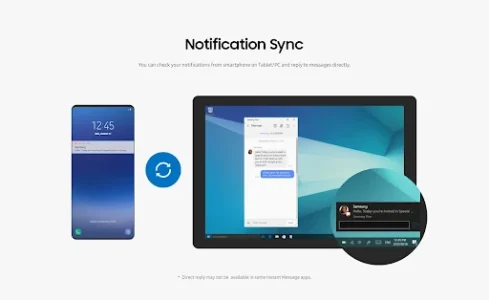
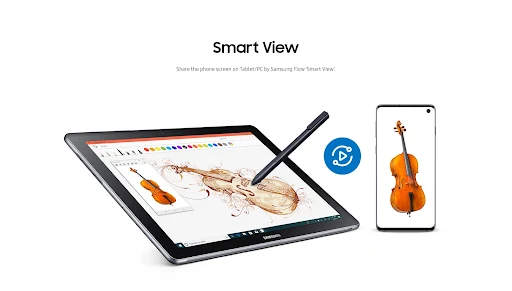
Samsung Flow is an app designed to create a connected experience between your Samsung smartphone and your Samsung tablet or Windows PC. It allows users to authenticate their tablet or PC using their smartphone, share content seamlessly between devices, and synchronize notifications. You can also view smartphone content directly on a connected tablet or PC, extending your phone’s functionality to a larger screen. A key feature is the ability to enable your smartphone’s Mobile Hotspot remotely to ensure your connected tablet or PC stays online.
Device Authentication and Biometric Login
The app facilitates authenticating your tablet or PC by using your smartphone as a verification method. For added convenience, if you are registered with Samsung Pass, you can log in to your tablet or PC using biometric data such as Iris scans or Fingerprints, provided your devices support these features. It’s important to note that the PC unlock function, which previously allowed unlocking a PC with the app, is no longer available due to changes in Windows policy.
Content Sharing and Notification Sync
Samsung Flow enables users to share various types of content between their registered smartphone and a connected tablet or PC. This allows for quick transfer of files or links without manual pairing each time. Additionally, it can synchronize notifications, allowing you to see alerts from your smartphone directly on your larger device, which can be useful for staying updated without constantly checking your phone.
Mobile Hotspot Control
One practical capability is the ability to remotely activate your smartphone’s Mobile Hotspot. This ensures that a connected tablet or PC can maintain an internet connection, making it convenient when you need to work or browse on the go and lack access to Wi-Fi.
Supported Devices and System Requirements
To use Samsung Flow, your devices must meet specific operating system requirements. For Windows tablets and PCs, it requires Windows 10 OS Creators update (V1703) and June patch build (15063.413) or newer. Supported Samsung devices include Galaxy TabPro S, Galaxy Book, Galaxy Book2, Galaxy Book S, and other PCs. Android tablets and phones must run Android N OS or newer. The app relies on Bluetooth (with Bluetooth LE as an option) or Wi-Fi/LAN, including Wi-Fi Direct, for connectivity on Windows devices. It’s developed by Samsung Electronics Co., Ltd. and operates exclusively on official software released by Samsung. Some smartphone models may not be supported depending on their specifications.
Required Permissions
For its services to function, the app requires several permissions. These include access to Nearby devices to find and track registered devices, Notifications to display connection status, and Storage access (for Android 10 and older) to store and view shared content. An optional permission for Phone access allows users to answer and decline calls from their smartphone on the connected device.










Write a review